Make smarter weekly decisions in 30 minutes
using the numbers you already have
A beginner-friendly Microsoft Excel + PDF prompt pack that turns your weekly snapshot into copy/paste questions for AI (so you get clearer answers, faster).
Instant Download (File Format)
-
Includes: .xlsx (Excel template) + PDF (prompt pack)
-
Works best with: Microsoft Excel (desktop recommended)
What You Get
- Microsoft Excel Template
- Weekly Snapshot (enter your numbers once)
- Prompt Builder (pick a prompt, auto-fills your data)
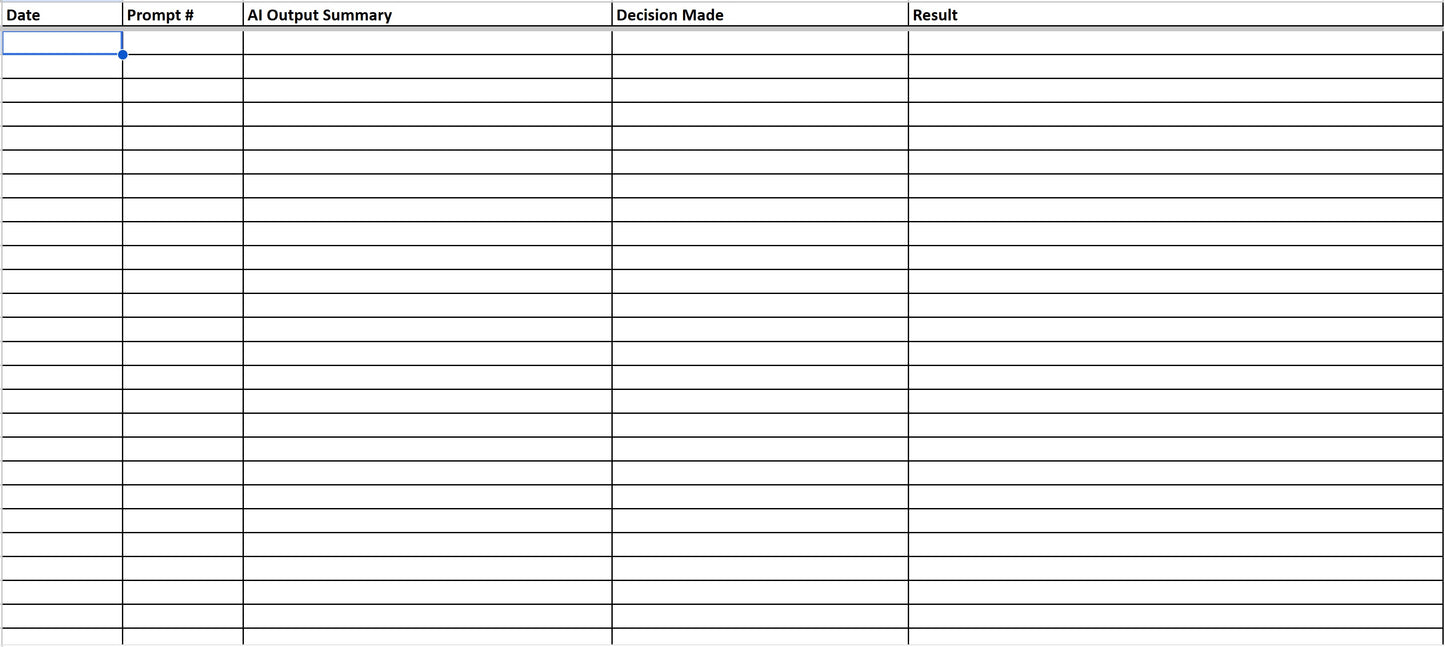
- Decision Log (track what you tried + what happened)
- 18 AI Analyst Prompts (copy/paste ready)
- Sales & AOV
- Inventory & Markdown
- Cash Flow & Forecasting
- Vendor & Purchasing
- Staff & Communication
-
Quick Start Guide (friendly, shop-owner coach style)
What You'll Need (2 Minutes to Gather)
- Weekly sales + orders (from your POS/Shopify)
- Current cash balance (rough is fine)
- Your top categories (even 3-5 is enough)
-
Optional: aged inventory and upcoming bills
What This Helps You Do
- Spot what changed this week (sales, AOV, margin)
- Choose one action with the best odds (instead of 12 random tasks)
- Avoid overbuying when cash is tight
- Build a decision history so you learn what actually works over time
Who This Is For
- Comic shops, card shops, game stores, toy/collectibles shops
- Owners and managers who want better weekly decisions without becoming a spreadsheet wizard
- Anyone who has thought: "I have numbers... I just don't know what to do with them."
Who This Is Not For
- If you want a full accounting system, POS replacement, or automated dashboards
- If you're looking for "set it and forget it" forecasting
How It Works (The 30-Minute Weekly Routine)
- Paste your weekly numbers into the Weekly Snapshot tab (2-5 min)
- Pick a prompt from the dropdown (2 min)
- Copy/paste the auto-filled prompt into ChatGPT/Claude/Sintra (5-10 min)
- Choose one action to run this week (5 min)
- Log it in the Decision Log so you can spot trends over time (2 min)
Preview: Example Prompts (Copy/Paste)
Example 1: AOV Drop
Prompt: Here is my weekly snapshot: [paste snapshot]. My AOV dropped from [last week] to [this week]. List the 5 most likely drivers and the 3 fastest checks I can run in Shopify/POS to confirm which one it is. Then recommend 1 action to test this week.
Example 2: What to Markdown First
Prompt: Here is my weekly snapshot: [paste snapshot]. I have slow movers in these categories: [list]. Give me a "safest first" markdown plan that protects margin: what to markdown first, how much, and what to watch next week to confirm it worked.
Example 3: Cash Risk This Month
Prompt: Here is my weekly snapshot: [paste snapshot]. Upcoming bills: [list]. Current cash: [cash]. Identify my biggest cash risks in the next 30 days and give me 3 practical moves to reduce risk without killing sales.
The Prompts (Titles)
- Why did AOV drop this week?
- Which categories are underperforming vs. last month?
- What's driving my top-performing category?
- Should I feature a specific product to boost sales?
- What should I stop buying this week?
- Which items should I markdown first?
- What's my safest liquidation target?
- How should I bundle slow movers?
- Given my last 4 weeks, what should I forecast for next week?
- What seasonality factor should I apply?
- What's my cash risk this month?
- Should I hold cash or buy inventory?
- How should I allocate my budget across vendors?
- Which vendors should I prioritize this week?
- What's my open-to-buy this week?
- Should I negotiate terms with this vendor?
- Write my weekly staff note (what to focus on)
- Draft a vendor follow-up email
Why This Works
Most "AI prompt packs" fail because they don't connect to real numbers. This one does.
- You're feeding AI consistent, clean context (not vibes)
- You're asking specific questions tied to weekly decisions
- You're saving your decisions so you can learn what actually moves the needle
Tips for Best Results
-
Quality data beats quantity. A few accurate numbers beat a mountain of messy data.
-
Always sanity-check AI suggestions against a second source (your POS reports, bank balance, vendor terms, etc.).
- If your question feels vague, start by writing what's on your mind - the prompts will help you clarify.
FAQ
What AI tool should I use?
ChatGPT and Claude both work great. Sintra works too. Use whatever you're comfortable with.
Do I need perfect numbers?
Nope. Ballpark is fine. The goal is better decisions, not perfect accounting.
Can I use this monthly instead of weekly?
Yes. Relabel "Week starting" to "Month of" and run the same workflow.
Will this work for my specific shop?
If you sell products, manage inventory, and pay vendors - yes. The prompts are designed to be flexible across hobby retail.
Is this a spreadsheet dashboard?
Not really. It's a decision workflow: snapshot -> question -> action -> log.
What's your refund policy?
Because this is a digital product, all sales are final. If you have an issue accessing the files, email support and we'll help.
Summary
Get the AI Analyst Prompt Pack and run your first weekly analysis in under 30 minutes.